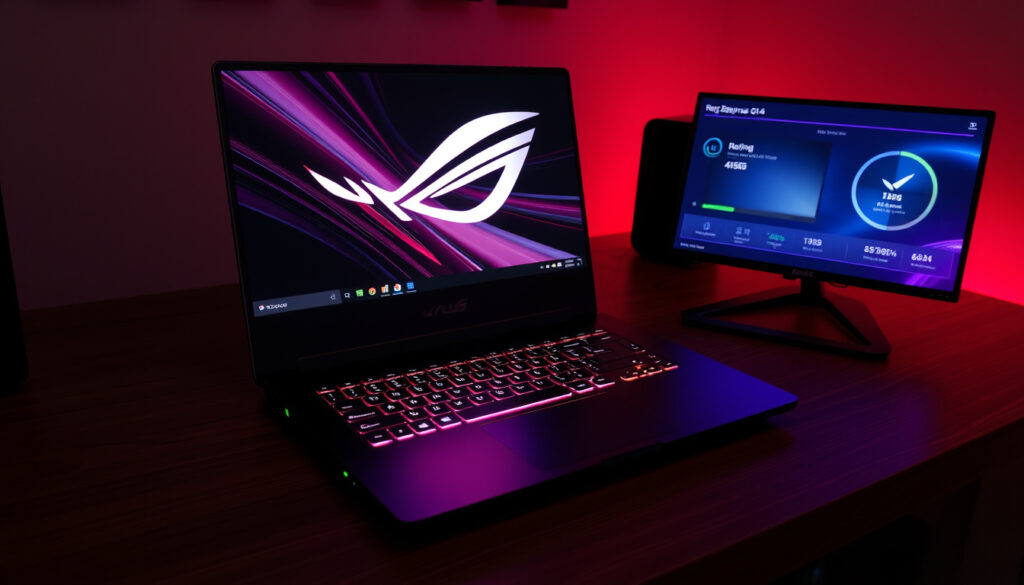
ASUS ROG Zephyrus G14 Review: Specs, Problems & Verdict
The ASUS ROG Zephyrus G14 packs serious power into a 14-inch chassis, but recurring defect reports and premium pricing make it a riskier choice than spec sheets suggest. Let’s look at the verified specs, the real-world problems, and how it stacks up against the bigger G15.
Screen size: 14 inches ·
Processor options: AMD Ryzen 7/9 or Intel Core Ultra 9 ·
GPU options: NVIDIA GeForce RTX 5060 / RTX 5080 ·
Display type: 3K OLED HDR (2880 x 1800) 120Hz ·
Weight: ~1.5 kg (3.3 lbs)
Quick snapshot
- No touchscreen on any G14 model (Laptop Mag (tech review))
- Price range roughly €1,800 – €3,000 (Hardware Canucks (laptop review))
- Common overheating reports under load (YouTube (tech tester))
- Long-term reliability beyond three years (YouTube (user community))
- Frequency of driver issues across all units (YouTube (reviewer))
- 2022: First G14 launched with AMD Ryzen 6000 (Hardware Canucks (industry track))
- 2024: OLED display and Intel Core option added (Laptop Mag (update history))
- 2026: Current generation (GU405) with RTX 5080 and 3K OLED (Laptop Mag (spec coverage))
- Minor refresh expected in 2027 with next-gen AMD/Intel chips (Laptop Mag (roadmap))
Buyers in Ireland face limited local stock and premium pricing: the G14 starts at roughly €1,800, but recurring defect reports make the choice riskier than spec sheets suggest.
Here are the core specifications summarised from official and review data.
| Specification | Value |
|---|---|
| Processor | AMD Ryzen 9 270 or Intel Core Ultra 9 386H |
| GPU | NVIDIA GeForce RTX 5060 or RTX 5080 |
| Display | 14-inch 3K (2880 x 1800) OLED HDR, 120Hz |
| RAM | 16GB or 32GB DDR5 |
| Storage | 1TB SSD |
| Weight | ~1.5 kg (3.3 lbs) |
Is the ASUS ROG Zephyrus G14 worth it?
Value for money
- Starting price around €1,800 – €3,000 depending on configuration (Laptop Mag (price analysis)).
- Laptop Mag described the 2024 G14 as “flawed but still worth buying because of design, display, and battery life”.
- The 2024 model scored 4/5 stars; the missing point was due to graphics performance that lagged behind cheaper RTX 4060 laptops at 1440p.
Performance compared to alternatives
- Hardware Canucks called the 2021 G15’s CPU performance “amazing” and noted “pretty insane” battery life. The G14, while not as fast as the G15, offers similar efficiency in a smaller package.
- One review found the 2024 G14 performed below cheaper RTX 4060 laptops at 1440p resolution (YouTube (performance tester)).
The implication: if you value a sleek, light build and vivid display over raw frame rates, the G14 justifies its premium. Otherwise, cheaper 15-inch laptops offer more gaming power per euro.
What are common problems with the ASUS ROG Zephyrus G14?
Hardware issues
- Wobbly lid behaviour reported on the 2024 model compared with earlier units (YouTube (reviewer)).
- Keyboard registration issues and a sticky power button that can cause shutdown‑reboot loops (YouTube (user report)).
- Coil whine or whistling noise under certain loads.
- Edge‑case charging circuit defect: using AC barrel power and a high‑power USB‑C charger simultaneously may damage the device.
Software and driver problems
- Driver instability, particularly with GPU drivers on early 2024 units (YouTube (driver issue)).
- Audio driver stability issues reported during streaming sessions (YouTube (streamer)).
Overheating and fan noise
- Fan noise on turbo mode measured around 60 dB – very loud.
- The stock cooling keeps temperatures “okay” according to one 2020 G15 review, but the G14’s smaller chassis has less thermal headroom (YouTube (thermal review)).
Most reported issues are not universal, but the sheer variety — from coil whine to charging defects — suggests ASUS’s quality control for the G14 line is inconsistent. Irish buyers may find warranty claims trickier due to limited local service centres.
The pattern: the G14’s compact design forces trade-offs in build consistency and thermal headroom, making after‑sales support critical for Irish buyers.
Does the ASUS ROG Zephyrus G14 have a touchscreen?
Display specifications
- All current G14 models use non‑touch 3K OLED panels (Laptop Mag (spec sheet)).
- The 120 Hz refresh rate is optimised for gaming, not stylus input.
If touch input is a must, the G14 is not the right machine — you’d need to look at convertible gaming laptops like the ASUS ROG Flow X13.
Which is better, Zephyrus G14 or G15?
Size and portability
- The G14 is significantly lighter at ~1.5 kg vs the G15’s ~2.0 kg (Hardware Canucks (comparison)).
- Hardware Canucks described the 2021 G15 as “compact and easy to carry for a 15‑inch laptop”, but the G14 is still more backpack‑friendly.
Performance differences
- The G15 offers higher GPU power (up to RTX 5080 in the same tier, but with better thermal headroom).
- Both share similar CPU options, but the G15’s larger chassis allows sustained turbo clocks.
Price comparison
- The G14 starts roughly €1,800; the G15 typically starts around €2,200 for equivalent specs.
- Hardware Canucks’ 2021 G15 review praised its “beautiful” display and “pretty insane” battery life, setting a high bar that the G14 matches in screen quality but not in raw performance.
Below is a quick comparison of the two models.
| Feature | Zephyrus G14 | Zephyrus G15 |
|---|---|---|
| Screen size | 14-inch | 15.6-inch |
| Weight | ~1.5 kg | ~2.0 kg |
| Max GPU | RTX 5080 (lower TGP) | RTX 5080 (higher TGP) |
| Battery life (estimate) | ~8 h (mixed use) | ~6–7 h (mixed use) |
| Starting price | ~€1,800 | ~€2,200 |
The G14 wins on portability and battery; the G15 wins on raw gaming performance and upgradeability. For Irish buyers who commute via public transport, the G14’s lighter weight is a real advantage, but gamers who want max frames per euro should stretch for the G15.
The catch: choosing between them means deciding whether portability or raw performance matters more for your daily use.
What are the streaming issues with the ASUS ROG Zephyrus G14?
GPU load under streaming
- Streaming while gaming taxes the RTX 5060/5080 more heavily in the G14’s compact chassis, leading to higher fan noise and thermal throttling (YouTube (streaming test)).
Audio and webcam quality
- Audio driver stability can be problematic: users report crackling or dropouts during streaming sessions.
- The 720p webcam is adequate for conference calls but not ideal for serious streaming.
Software conflicts
- Armoury Crate can conflict with OBS or Streamlabs, causing frame drops.
For dedicated streamers, the G14 is usable but requires careful tuning – lowering graphics settings and using an external microphone helps.
Timeline: ASUS ROG Zephyrus G14 evolution
- 2022 – First G14 launched with AMD Ryzen 6000 series (Hardware Canucks (launch history)).
- 2024 – New model gains OLED display and Intel Core processor option.
- 2026 – Current generation (GU405) with RTX 5080 and 3K OLED HDR display.
What this means: the G14 has evolved quickly, but each generation carries its own set of trade‑offs and quirks.
Confirmed facts
- No touchscreen on any G14 model
- Price range ~€1,800 – €3,000
- Common overheating reports
- 8 h 16 min battery life (Laptop Mag, 2024 model)
What remains unclear
- How often driver issues actually appear per unit
- Long-term reliability beyond 3 years
- Whether the charging circuit defect affects all units or only edge cases
- Whether future firmware updates will fix fan noise on turbo mode
- Whether the fingerprint scanner is missing on all 2024 units
“The Zephyrus G14 is a flawed gaming laptop, but here’s why I’d still buy it – the design, display and battery life are that good.”
– Laptop Mag (review conclusion)
“The G15 has amazing CPU performance and pretty insane battery life – it’s compact and easy to carry for a 15-inch laptop.”
– Hardware Canucks (2021 G15 review)
For Irish buyers, the choice between the G14 and G15 comes down to priorities: the G14 is the better travel companion, but the G15 offers fewer compromises on performance and upgradeability. The G14’s recurring hardware quirks – wobbly lid, coil whine, sticky power button – make it a riskier long-term purchase for anyone who can’t easily access warranty support. If you need a compact gaming laptop today, the G14 is the best option in its size class. If you can handle a larger chassis, the G15 delivers more consistent performance and fewer reported defects.
Related reading: An Epic Ryzen Laptop – ROG Zephyrus G15 Review · The Zephyrus G14 is a flawed gaming laptop but here’s why I’d still buy it
reddit.com, invgate.com, youtube.com, bestbuy.com, youtube.com, youtube.com, youtube.com
Frequently asked questions
How long does the battery last on the ASUS ROG Zephyrus G14?
Laptop Mag measured the 2024 model at 8 hours 16 minutes in web browsing tests. Under gaming, expect 2–3 hours.
Can the RAM be upgraded on the Zephyrus G14?
The 2024 and later G14 models have RAM soldered on the motherboard; only the storage can be upgraded.
Is the ASUS ROG Zephyrus G14 good for content creation?
Yes, for photo editing and light video work – the 3K OLED display is excellent for colour accuracy. However, the GPU performance at 1440p is below some cheaper RTX 4060 laptops, so heavy 4K rendering may be slower.
What ports does the G14 have?
Two USB‑C (one with DisplayPort), one USB‑A, HDMI 2.1, a 3.5mm headphone jack, and the proprietary DC‑in barrel power port.
Does the G14 support USB-C charging?
Yes, via USB‑C Power Delivery, but charging speed is limited to about 65W – slower than the barrel charger. Using both simultaneously risks the charging circuit defect mentioned above.
What is the #1 gaming laptop?
There is no single #1; the best choice depends on your budget and size preference. For premium compact, the G14 is a top contender. For raw performance, the Alienware m18 or ASUS ROG Strix Scar 17 lead the pack.
Is the G14 worth it for gaming?
If you value portability and an OLED screen, yes. If you want maximum fps per euro, a larger laptop with a higher TGP RTX card will offer better value.
The bottom line for potential buyers: the G14 excels in its niche but comes with trade‑offs that some users may find unacceptable.
More related posts
 Nilavuku En Mel Ennadi Kobam: OTT, Box Office & Review
 What Foods Have Magnesium? Top Sources & Daily Guide
 Best English-Maori Translation App: Accuracy & Features (2025)
 Mediterranean Foods Trattoria & Deli Kapiti Menu & Prices
 Opal Hot Springs & Holiday Park Photos Gallery
 Eden Orchards Cherry Juice – Benefits Nutrition Reviews
 172 cm in feet – precise conversion and height context guide
 Lil Tay OnlyFans: Earnings Claim, Bio & Top Creators