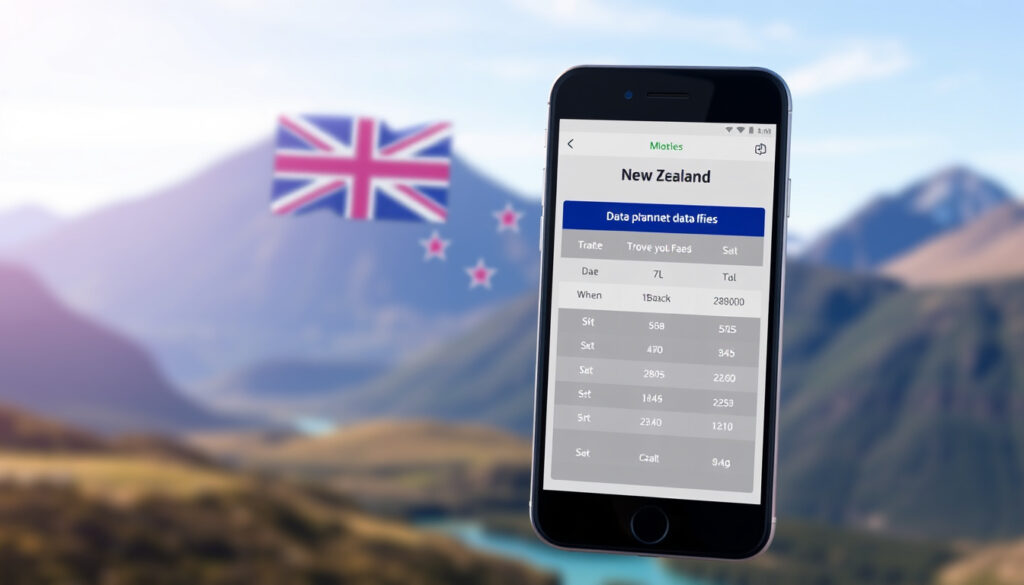
Best eSIM for New Zealand: Compare Top Data Plans
Few travel frustrations match the moment you land in a new country and realise your phone has no signal. Data roaming charges can hit $5 per MB — enough to drain a holiday budget before you’ve left the airport. For New Zealand, the fix comes in a tiny chip you won’t even see, and this guide cuts through the noise to show you which eSIM actually works for the kind of trip you’re planning.
Cheapest eSIM starting price: $1.35 USD (Jetpac) · Most popular eSIM provider: Airalo · Unlimited data eSIM option: Holafly · Number of local mobile networks: 3 (Spark, One NZ, 2degrees)
Quick snapshot
- Three major mobile networks cover 97% of the population (MoneyHub NZ)
- Jetpac plans start at USD 1.35 per GB (TravelTomTom)
- Holafly offers unlimited data from USD 40 for 11 days (Bel Around The World)
- Which provider has the best rural coverage? Varies by location
- True reliability of Yesim in remote areas — mixed user reports
- Long-term durability of eSIM profiles after multiple re-installs
- Buy before you fly — install the profile at home, activate on arrival (Bel Around The World)
- QR-code delivery is the standard; some providers also offer app-based setup (Bel Around The World)
- Local carriers Spark and One NZ now sell prepaid eSIMs directly — a growing competitor to tourist brands
- eSIM-only plans from budget resellers are expected to multiply through 2026
The numbers that matter most: population coverage, network count, device compatibility, and pricing.
| Label | Value |
|---|---|
| Population coverage | 97% (all three networks) (MoneyHub NZ) |
| Number of mobile networks | 3 major (Spark, One NZ, 2degrees) (MoneyHub NZ) |
| eSIM compatibility | iPhones from XR onward; most Android models from 2020+ (MoneyHub NZ) |
| Cheapest plan per GB | $0.14 (Jetpac) (TravelTomTom) |
| Average plan price (7 days) | $10-20 USD |
What is the best eSIM for New Zealand?
There is no single winner — the best eSIM depends on your trip length, data appetite, and whether you need a local number. Three providers consistently rise to the top in traveller discussions and comparison guides.
Top overall recommendation for UK travellers
- For typical 7–14 day trips, Airalo offers the best balance of price, reliability, and ease of setup — plans start at $4.00 USD (TravelTomTom)
- UK travellers who want a single provider across multiple destinations will find Airalo covers 190+ countries, making it a strong travel companion beyond New Zealand
- Holafly is the top pick for anyone who wants unlimited data and doesn’t mind the data-only limitation (TravelTomTom)
Best value eSIM: Jetpac
- Jetpac’s New Zealand eSIM offers 1 GB over 4 days at USD 1, making it the cheapest entry point (TravelTomTom)
- A 15 GB plan valid for 30 days costs USD 22, and a 20 GB plan runs USD 44 (TravelTomTom)
- According to Bel Around The World, Jetpac offers packages from 1 GB up to 40 GB with validity from 4 days to 30 days
Most reliable coverage: Airalo
- TravelTomTom’s 2026 guide notes Airalo provides coverage on New Zealand’s Spark and Vodafone networks (TravelTomTom)
- 5 GB for 7 days at USD 10 is the most popular plan among short-term visitors
- Users on Facebook travel groups frequently recommend Airalo alongside Nomad and Saily for hassle-free connectivity
Budget travellers who want rock-bottom per-GB pricing will lean toward Jetpac, while visitors who value zero data anxiety prefer Holafly’s unlimited model. Airalo sits in the middle — affordable enough for most, reliable enough for city-to-city travel.
Is it worth getting an eSIM for New Zealand?
Short answer: yes — if you value your time and your wallet. The gap between eSIM pricing and standard roaming has grown wide enough that eSIM pays for itself in the first day of use.
Cost comparison: eSIM vs roaming
- Standard roaming charges can exceed $5 per MB on some UK carriers — downloading a map for navigation could cost more than an entire eSIM plan
- An eSIM plan like Jetpac’s 1 GB for USD 1 covers roughly 10,000 times the data at a fraction of the cost (TravelTomTom)
- Even a mid-range eSIM (Airalo 5 GB for USD 10) undercuts a single day of roaming on most UK networks
Convenience and flexibility
- eSIMs activate instantly via QR code or app — no physical SIM to hunt down at an airport kiosk (Bel Around The World)
- You can install multiple eSIM profiles on one phone and switch between them as needed, which is useful if you’re visiting multiple countries
- MoneyHub NZ confirms that Spark, One NZ, and 2degrees all support eSIM, giving you local-network quality without a local contract (MoneyHub NZ). Also check out the Two Degrees Top Up options and Spark Store Near Me for local prepaid eSIMs.
Coverage and speed
- All major tourist eSIMs ride on the same Spark, Vodafone (now One NZ), or 2degrees infrastructure — so coverage is identical to what a local SIM would give you (MoneyHub NZ)
- Holafly eSIMs are reportedly 5G-ready on the Spark and Vodafone networks (TravelTomTom)
- Population coverage across the three networks reaches 97%, with strong service in all major cities and tourist corridors (MoneyHub NZ)
Which is better: Airalo or Yesim?
Both providers target the same traveller, but they diverge on pricing structure, network coverage, and user sentiment.
Pricing and data allowances
- Airalo offers a New Zealand 5 GB plan for USD 10 valid for 7 days — straightforward, flat pricing (TravelTomTom)
- Yesim reportedly offers flexible pricing that varies by region, with packages starting around USD 5–8 for smaller data amounts (Bel Around The World)
- Bel Around The World’s guide also lists Yesim with 10 GB and 20 GB plan options for New Zealand, though exact pricing was not specified
Coverage and network partners
- Airalo connects primarily to Spark and Vodafone (One NZ) networks across New Zealand (TravelTomTom)
- Yesim uses a multi-network aggregator approach, but users on Reddit (r/newzealand) report mixed coverage experiences in remote areas compared to Airalo
- For travel through South Island mountain passes or the Coromandel, Airalo’s network-level consistency gives it a perceived edge
User experience and reviews
- Reddit threads about New Zealand eSIMs recommend Airalo consistently for its reliable connectivity and simple top-up process
- Yesim receives praise for its flexible plan durations, but some users report difficulty with customer support response times
- On Facebook travel groups, Airalo is recommended alongside Nomad and Saily, while Yesim appears less frequently in user suggestions
Airalo wins on network trust and user recommendation volume. Yesim offers more flexible plan granularity but carries slightly higher uncertainty about remote-area coverage.
How can I get an eSIM for New Zealand before my trip?
The process takes about five minutes and can be done from your sofa before you fly.
Step-by-step purchase and activation
- Check your phone is eSIM-compatible — iPhones from XR onward and most Android flagships from 2020+ support it (MoneyHub NZ)
- Choose a provider (Jetpac, Airalo, Holafly, or Yesim) and select your New Zealand data plan
- Purchase online — you’ll receive a QR code or download link via email
- Install the eSIM profile by scanning the QR code in your phone’s settings or using the provider’s app (Bel Around The World)
- Label the profile (e.g. “NZ Data”) so you can identify it when you land
- Activate the plan upon arrival in New Zealand — most plans auto-activate when the phone connects to a local network
Compatible devices and requirements
- Apple: iPhone XR, XS and newer; iPad Pro, iPad Air (3rd gen+), iPad (7th gen+)
- Google: Pixel 4 and newer
- Samsung: Galaxy S20 series and newer, Galaxy Z Fold/Flip series
- Most Android devices from 2020 onward with Android 12+ support eSIM (MoneyHub NZ)
- Your phone must be carrier-unlocked to use a foreign eSIM
Installing the eSIM profile
- iOS: Settings → Cellular → Add eSIM → Scan QR code
- Android: Settings → Network & Internet → Mobile Network → Add Carrier → Scan QR code
- If you receive a manual activation code instead of a QR, enter the details in the same menu under “Enter details manually”
- Set the eSIM as your primary data line and keep your home SIM active for calls/SMS if desired
Activate the eSIM only when you arrive — if you turn it on before departure, the plan clock may start ticking before you land, eating into your validity window.
The key is to install before you fly but activate only upon arrival to maximize your plan.
What are the disadvantages of using an eSIM?
eSIMs are convenient, but they come with real trade-offs that travellers should know before committing.
Device compatibility and lock-in
- Some older phones — notably iPhone 8 and earlier, and budget Android models — do not support eSIM at all (MoneyHub NZ)
- If your phone is lost or stolen, the eSIM profile cannot be easily transferred to a new device — you’ll need to contact the provider to re-issue it
- Carrier-locked phones from networks like EE, Vodafone UK, or O2 may restrict eSIM usage for foreign profiles
Limited support for calls and local numbers
- Most tourist eSIMs are data-only — they do not provide a local New Zealand phone number for calls or SMS (TravelTomTom)
- Holafly explicitly states its New Zealand eSIMs do not support incoming or outgoing calls/SMS (TravelTomTom)
- If you need to receive verification codes from your bank or book accommodation via phone, a physical SIM from Spark or One NZ with a local number might be necessary
Troubleshooting and customer service
- Customer support for international eSIM providers can be slower than what UK travellers expect from domestic networks
- If the eSIM profile fails to install, you typically need to contact the provider’s online chat or support ticket system — no physical store to walk into
- Holafly caps hotspot tethering at 500 MB per day, which can be a problem if you plan to share your connection with a laptop or travel companion (TravelTomTom)
Four providers, one pattern: price scales inversely with data volume, and no single provider wins every category. Here’s how they line up.
| Provider | Price From | Data & Validity | Networks | Calls/SMS |
|---|---|---|---|---|
| Airalo | $4.00 USD | 5 GB / 7 days | Spark, One NZ | Data only |
| Jetpac | $1.00 USD | 1 GB / 4 days | Multi-network | Data only |
| Holafly | $40 USD | Unlimited / 11 days | Spark, One NZ | Data only |
| Yesim | ~$5–8 USD | Flexible (1–40 GB) | Multi-network | Data only |
The implication: Jetpac dominates at low data volumes, Holafly rules for heavy users, and Airalo offers the sweet spot for a standard one-week trip.
Upsides
- Instant setup — buy online, scan QR, go
- No roaming bills — pay flat rates in advance
- Multiple profiles on one phone — switch as needed
- Cheaper than roaming by orders of magnitude
- Works on all three NZ networks via partner agreements
Downsides
- Data-only — no local phone number for calls
- Device lock-in — older phones unsupported
- Phone loss complicates profile recovery
- Customer service is remote-only, no physical stores
- Holafly hotspot cap at 500 MB/day
How to choose and install your eSIM — step by step
- Determine your data needs: Light user (maps, messaging) → Jetpac 1 GB for $1. Medium user (social, browsing, streaming music) → Airalo 5 GB for $10. Heavy user (video streaming, hotspot sharing) → Holafly unlimited from $40.
- Check device compatibility: Confirm your phone is eSIM-ready and carrier-unlocked. iPhones from XR onward and most Android 2020+ models qualify (MoneyHub NZ).
- Purchase before you fly: Buy online and receive the QR code or app link via email. No need to wait until arrival.
- Install the profile at home: Scan the QR in Settings → Cellular (iOS) or Network & Internet (Android). Label the profile clearly.
- Activate on arrival: Turn off data roaming on your home SIM, turn on the eSIM data line. The plan activates automatically when it detects a New Zealand network.
- Top up as needed: Most providers allow in-app or online top-ups if you run out of data mid-trip.
Following these steps ensures a smooth setup and avoids activation timing issues.
What we know — and what remains uncertain
Confirmed facts
- New Zealand has three major mobile networks covering 97% of the population (MoneyHub NZ)
- eSIM works on recent smartphones — iPhones from XR, most Android 2020+ (MoneyHub NZ)
- Airalo, Jetpac, Holafly, and Yesim all offer New Zealand plans with verified pricing
- Roaming charges are significantly higher than eSIM flat rates — eSIM is the cheaper option by a wide margin
What remains unclear
- Which provider delivers the best rural coverage? This depends heavily on which local network the eSIM connects to in each specific location
- Yesim’s reliability in remote areas is inconsistent based on user reports from Reddit and travel forums
- The long-term durability of eSIM profiles — whether repeated deletions and re-installs cause issues — is not well documented
The confirmed facts are reliable; the uncertainties are worth checking before committing.
What travellers are saying
“I used Toosim for my Queenstown campervan trip — $15 for 10GB and it worked even in fairly remote areas around Glenorchy and the Catlins.”
— Reddit user, r/newzealand
“Airalo, Nomad, and Saily are the most recommended in our travel group. Easy setup and good city coverage.”
— Facebook traveller group participant
“Jetpac is the best-value tourist eSIM for New Zealand — rates as low as $1.35 USD for 1 GB.”
— TravelTomTom, 2026 comparison guide
For UK travellers heading to New Zealand in 2026, the choice comes down to trip style and device. Light users can grab Jetpac for pocket change and never worry about overpaying. Heavy data users should land on Holafly’s unlimited plan despite the hotspot cap. And anyone who wants a reliable middle ground — city coverage, simple setup, global versatility — will find Airalo fits the bill. For the traveller who needs a local number, Spark or One NZ prepaid eSIMs remain the only data-plus-voice option. The pattern is clear: eSIM beats roaming on every metric except call support. Make the switch before you fly, and save both the hassle and the expense.
For travelers who want to compare traditional mobile plans alongside eSIM options, our guide to mobile plans in New Zealand provides a comprehensive overview.
Frequently asked questions
Do eSIMs work in New Zealand’s national parks?
Coverage in national parks depends on the local network infrastructure. The three major networks (Spark, One NZ, 2degrees) cover around 97% of the population, but remote backcountry areas — especially in Fiordland, Tongariro, and parts of Westland — may have no signal regardless of which eSIM you use. Check the provider’s coverage map for the specific park you plan to visit.
Can I use an eSIM and a physical SIM at the same time?
Yes — most dual-SIM phones let you keep your home physical SIM active for calls and SMS while using the eSIM for data. This is one of the main advantages of eSIM travel: you don’t lose access to your UK number while staying connected to New Zealand data networks.
How do I top up my eSIM while in New Zealand?
Most providers allow top-ups through their app or website. Airalo and Jetpac both support in-app top-ups, and Holafly offers an online portal. You can usually add more data or extend validity with a few taps, as long as you have internet access.
Is there an eSIM with unlimited data for New Zealand?
Yes — Holafly offers unlimited data plans for New Zealand starting at USD 40 for 11 days, up to USD 75 for 30 days. The plans are data-only (no calls or SMS) and hotspot tethering is capped at 500 MB per day. Coverage relies on the Spark and One NZ networks.
What happens if I run out of data on my eSIM?
If your data runs out, you can top up online or through the provider’s app. Most eSIMs — including Jetpac, Airalo, and Holafly — allow instant top-ups that take effect within minutes. You won’t lose connectivity entirely; you just need to purchase an add-on before you reach zero to avoid a gap.
Are there any eSIM providers that offer a New Zealand phone number?
Yes — local carriers Spark, One NZ, and 2degrees all offer prepaid eSIMs that include a New Zealand phone number with voice and SMS capabilities. These are available directly from the carriers’ websites or at their retail stores. Tourist eSIM brands (Airalo, Jetpac, Holafly) are data-only and do not provide a local number.
Can I switch eSIM providers easily during my trip?
Yes — you can install multiple eSIM profiles on your phone before you travel and switch between them in your device settings. This is useful if you want to use one provider for the first week and a different one for the second, or if you want a backup in case coverage is poor. Each profile stores its own data plan separately.
More related posts
 Flights to Wellington Today – Cheap Fares, Schedules and Tips
 Dunedin Breaking News Today – Stuff, ODT & Live Updates
 Samsung Galaxy A Series – Best 2024-2025 Models Guide
 Happy Birthday Wishes for Friend: Heartfelt & Funny Ideas
 Road Accidents Today Christchurch: Live Updates & Safety Guide
 The Duke of Glouce ter: Prince Richard’ Family and Royal Dutie
 28 Years Later The Bone Temple Showtimes & Where to Stream
 Best English-Maori Translation App: Accuracy & Features (2025)